Sunday, June 24, 2018

Cara Melacak Lokasi Nomor Ponsel All Operator 2018

lacak nohp
Cara Melacak Lokasi Nomor Ponsel All Operator 2018 - Mungkin banyak yang mencari bagaimana cara melacak lokasi nomor hp/ponsel buat mencari tahu orang yang meneror kita ataupun stalk mantan hehe sebenarnya melacak nomor hp hanya provider dan Tuhan yang tau keberadaan doi, namun jika pakai cara ini kamu bisa melacak nomor ponsel dengan mudah namun tidak 100% akurat, yaitu menggunakan HLR Lookup, iyaps HLR Lookup adalah sebuah sistem untuk mengetahui dimana nomor ponsel itu di aktifkan atau diregistrasikan.
berikut daftar nomor ponsel yang dapat dilacak :

  1. Telekomunikasi Selular: Kartu Halo, Simpati, Kartu AS
  2. Indosat (Cellular): IM3, Mentari, Matrix
  3. Indosat (Fixed): Starone
  4. Excelcomindo Pratama XL Axiata: XL
  5. Hutchison CP Telecommunications: Three
  6. Natrindo Telepon Seluler Axis Telekom Indonesia XL Axiata: Axis
  7. Bakrie Telecom: Esia
  8. Telekomunikasi Indonesia: PSTN, Flexi
  9. Mobile-8 Telecom (Cellular): Fren
  10. Mobile-8 Telecom (Fixed): Hepi
  11. Smart Telecom Smartfren Telecom: Smartfren
  12. Sampoerna Telekomunikasi Indonesia: Ceria
  13. Pasifik Satelit Nusantara: Byru
  14. Batam Bintan Telekomunikasi: BBT
Cara Menggunakan lacak nomor hp :
  1. Pertama Kunjungi Website Disini
  2. Masukkan Nomor Hp Target Ke Kolom Nomor Hp
  3. Lalu Klik Lacak Nomor.
  4. Dan Viola Nomor Sudah Diketahui Keberadaanya.
Sekian yang bisa saya bagi semoga bermanfaat hehe...
Read More

Friday, June 22, 2018

Welcome Back !

welcome back
Haii Semua, Nesaba Site kembali lagi di tahun 2018 ini.. sempat menghilang selama hampir 5 tahun gara-gara lupa email dan password blog ini hehe sempat buat blog baru juga namun kenangan blog ini tak bisa terlupa, kedepannya Nesaba Site bakal update mengenai info, software, tips dan trick terbaru buat kalian semua. Terimakasih atas bantuan kalian semua sehingga blog ini tetap hidup, blog ini juga sekarang sudah saya ganti menggunakan template yang kekinian sehingga nyaman untuk semua platform baik desktop maupun mobile  kemungkinan kedepannya bakal update menggunakan domain baru hehe tunggu aja tanggal mainnya.

Thanks,

Galang KB
2018
Read More

Tuesday, February 5, 2013

Tips Mengedit HTML Dengan Aman

        Jika kita mengotak-atik atau mengedit HTML blog kadang - kadang kita agak kesulitan. apalagi yang Newbie hehe.. ,lagi enak-enak edit eh malah menemukan pesan error kan jadinya kacau , ya kan ? nah kali ini saya share cara mengantisipasi atau mengurangi kesalahan saat mengedit HTML. Berikut beberapa tips untuk Mengedit Html yang aman :


  • Backup Template

Mengapa harus membackup template ? membackup template sangat penting karena jika blog kita terjadi kerusaakan saat mengedit template dan tidak bisa diperbaiki lagi ,kita bisa mengembalikan seperti sediakala dengan menggunakan fitur backup ini. Cara membackup template ini cukup mudah. tinggal klik pada link "Download Full Template" lalu simpan file template di komputer kita. Kalau terjadi kesalahan yang tidak bisa kita atasi, kita tinggal upload aja file template tersebut.

  • Mempermudah Pencarian
Untuk mempermudah dalam pencarian kode yaitu dengan meng-copy  kode yang kita cari lalu pencet CTRL + F , lalu masukkan kode yang kita cari ke dalam kotak yang muncul terus tinggal pencet enter deh..
  • Memberi Tanda Centang Pada "Expand Widget Template" 
ini yang paling sering dilupakan oleh si editor , jika kode yang kita cari tidak ada maka yang harus dilakukan adalah memberi tanda  Pada Expand Widget Template , maka kode yang kita cari muncul deh ,

  • Memahami Error Yang Muncul
jika saat kita menyimpan hasil editan terjadi error seperti contoh : We were unable to save your template
Please correct the error below, and submit your template again.
Your template could not be parsed as it is not well-formed. Please make sure..... maka dari itu jangan panik namun memahami penyebab munculnya pesan itu , coba cek kembali tutorialnya , apakah langkah-langkahnya sesuai ? jika salah bisa di ulangi dengan fitur "Clear Edits" lalu kita mengulang kembali tutorialnya..

    mungkin beberapa tips di atas bermanfaat buat semua , jika ada yang kurang bisa disampaikan lewat komentar :D 
    Read More

    Monday, January 28, 2013

    Membuat Chat Unik Di Facebook

    Membuat Chat Unik Di Facebook - Maaf nih baru update hehe... karena kesibukan saya di duina nyata jadi nggak ada waktu buat mantau blog ini ,hmm Pasti semua orang kenal yang nama nya Facebook , yup jejaring sosial rasaksa ini memang cukup terkenal di dunia apalagi yang posting ini, wow sangat mendunia heheh.., oke langsung saja tutorialnya :


    • Pertama-tama Buka http://smileychatcodes.com/facebook-smiley-chat-codes/
    • Setelah itu klik "Pilih File" lalu Pilih gambar yang akan dijadikan chat 
    • Klik "Upload Now" tunggu beberapa saat
    • Lalu salin kodenya dan pastekan di chat facebook kamu 
    • Selamat, akhirnya jadi juga heheh....

    Contohnya seperti ini :

    (Calon Bini gue)

    [[352653364837705]] [[352653371504371]] [[352653384837703]] [[352653374837704]]
    [[352653368171038]] [[352653498171025]] [[352653494837692]] [[352653501504358]]
    [[352653491504359]] [[352653484837693]] [[352653628171012]] [[352653634837678]]
    [[352653631504345]] [[352653638171011]] [[352653624837679]] [[352653791504329]]
    [[352653771504331]] [[352653778170997]] [[352653768170998]] [[352653784837663]]
    [[352653924837649]] [[352653914837650]] [[352653928170982]] [[352653921504316]]

    (Me Gusta)

    [[293955833972970]] [[293955850639635]] [[293955873972966]] [[293955920639628]] [[293956017306285]]
    [[293956043972949]] [[293956060639614]] [[293956087306278]] [[293956100639610]] [[293956107306276]]
    [[293956117306275]] [[293956127306274]] [[293956147306272]] [[293956220639598]] [[293956283972925]]
    [[293956303972923]] [[293956327306254]] [[293956350639585]] [[293956370639583]] [[293956450639575]]
    [[293956570639563]] [[293956620639558]] [[293956677306219]] [[293956710639549]] [[293956767306210]]


    Oke semoga posting Membuat Chat Unik Di Facebook bermaanfaat untuk semua


    Read More

    Monday, January 21, 2013

    Nesaba Site Dapat Sunshine Award

    Nggak menyangka blog kesayanganku dapat Award Dari Mas Yahya Doank Blog . makasih ya mas , semoga dengan award ini kita semua bisa mempererat tali silahturami.


    Berikut Award Sunshine yang diberikan Mas Yahya Doank :


    Saya akan menjawab pertanyaan yang wajib di tulis dipostingan ini maupun postingan sobat.

    1. Warna Favorit = Hitam dan biru
    2. Hewan Favorit = Elang
    3. Nomor Favorit = 12
    4. Minuman Favorit =Es buah
    5. Facebook atau Twitter = Lebih suka Facebook
    6. Passion = Agak Santai 
    7. Dikasih or Ngasih Hadiah = Dikasih hehe. kalau ngasih itung itung amal
    8. Aktivitas Tubuh Favorit = Tidur Di ruang Tamu hihih
    9. Hari Favorit Dalam Seminggu = Kamis dan Minggu
    10. Bunga Favorit = Mawar

    Dan berikut 10 Blog yang menerima Sunshine Award :
    1. http://suhendrah24.blogspot.com/
    2. http://www.mas-adhie.web.id/
    3. http://favouritesix.blogspot.com/
    4. http://infonakke.blogspot.com/
    5. http://liong-seo.blogspot.com/
    6. http://dimaszon.blogspot.com/
    7. http://ahmad-adzan.blogspot.com/
    8. http://achsanarea23.blogspot.com/
    9. http://yudisoppeng.blogspot.com/
    10. http://blogmashanif.blogspot.com/
    Bagi sobat Blogger yang sudah mendapatkan Sunshine Award. Jangan lupa membagikan Award ini ke 10 sobat penerima selanjutnya. Dan jangan lupa menjawab 10 pertanyaan terlebih dahulu.
    Read More

    Friday, January 18, 2013

    Hack Pulsa All operator 2013 Terbaru

    Hack Pulsa All operator 2013 Terbaru - Posting yang ke seratus nih :D, terimakasih kepada semua yang telah setia nongkrong di blog ini hehe..., untuk merayakannya saya akan share Cara Hack Pulsa all operator 2013 , bagaimana kelanjutannya ? mari kita simak.
    Note : Cara ini di ambil dari teman kakak saya yang bekerja di sebuah operator yang cukup terkenal di jakarta.

    Langkah Hack Pulsa :

    • Sediakan pulsa cukup 5 ribu saja
    • Telepon salah satu seorang (terserah) , dan saat itu juga tekan *10000# sesuai nominal yang kita inginkkan (max. 50.000).
    • Tunggu beberapa saat hingga ada sebuah pesan masuk dari operator.
    • Selamat Pulsa kamu nambah sesuai yang kamu inginkan :D
    Cara ini jangan di sebarluaskan ke siapa-siapa cukup kamu saja :D, yang tak bohongi hehehhehehe... serius amat bacanya :D, Bila ingin hack facebook bisa lihat di sini 
    Read More

    Wednesday, January 16, 2013

    Cara Hack Facebook 2013 Terbaru

        Cara Hack Facebook 2013 Terbaru  - Hai, apa kabar ? kali ini saya  mau berbagi bagaimana Cara Hack Facebook, penasaran ? pengen mencoba ? Sebetulnya caranya agak sulit sob karena butuh keahlian yang tinggi namun sobat jangan kuatir karena disini ada saya yang menemani heheh.. oke langsung saja tutorialnya :

    Berikut Persiapan Cara Hack Facebook 2013 :

    • Berpuasa menjelang hari H (wajib)
    • Berdandan layaknya seorang hacker 
    • Beli pulsa dulu minimal 5 ribu ( untuk menyerang target )
    • Tingkatkan kepercayaan diri bahwa anda bisa menghack akun FB itu 
    Oke Bila Persiapan sudah siap mari kita lanjut ke tutorial yang selanjutnya !

    Tutorial Selanjutnya :
    Note : cara ini bisa untuk jarak jauh maupun jarak dekat

    • Dari jarak dekat : jika korban berada di dekat kamu ,datangi dia, genggam tangan dia lalu tanyakan email dan passwordnya facebooknya ( dengan nada yang melas )
    • Dari jarak jauh : jika korban jauh dari kamu , sediakan hp dengan pulsa 5 ribu yang telah disiapkan , lalu kamu telepon dia dan tanyakan apa password facebooknya (dengan nada yang melas juga).
    Demikian tutorial ini, saya tidak bertanggung jawab jika ada piring melayang, dll. semoga bermanfaat :D

    Read More

    Thursday, January 10, 2013

    Cara Mengetahui Blog Terkena Banned

    Kata "Banned" pasti tidak asing bagi sobat yang bergelut di dunia internet. Banned Google adalah tindakan google terhadap blog yang dicurigai sebagai Spam atau Black Hat Seo. Maka blog kita tidak akan  terindex oleh si GoogleUntuk melihat website / blog sobat dibanned google atau kena penalty google, caranya gampang, coba sobat ketik site:namadomainanda.com di Google, jika hasilnya tidak ada itu berarti akun atau blog Sobat terkena banned google, jika berkurang di bandingkan dengan hari-hari sebelumnya, itu berarti akun / blog anda terkena penalty google atau Sobat jarang posting.
    bila lebih rinci apa benar blog sobat kena banned bisa ikuti langkah berikut :
    • Masuk http://www.bannedcheck.com/
    • Ketik Url Sobat Lalu Klik Submit
    • Bila ada tulisan is not banned from Google AdSense berarti blog sobat aman-aman saja :D
    semoga artikel Cara Mengetahui Blog Terkena Banned bermanfaat bagi semua :D
    Read More

    Wednesday, December 26, 2012

    Membuat Fanspage Melayang Di Blog

    Fanspage, Membuat Fanspage Melayang Di Blog,Blogger
    Membuat Fanspage Melayang Di Blog - Sudah lama nggak update posting hehe.. , kali ini saya hanya mau berbagi tips blogger yaitu Membuat Fanspage Melayang Di Blog ,emang melayang bagaimana sih ? ya, kalau scroll browser dinaikkan atau diturunkan fanspagenya tetep diam sehingga memungkinkan pengunjung mengekliknya.. penasaran pengen coba ? disimak ya.....


    • Login ke blogger jangan di Twitter apalagi Facebook 
    • Masuk Ke "Tata Letak"
    • Pilih "Add Widget"
    • Lalu Pilih "HTML/JavaScript
    • Copy Kode Dibawah Ini
    <style type="text/css">
    #topbar{
    position:absolute;
    padding-left:1px;
    background-color: transparancy;
    width: 238px;
    visibility: hidden;
    z-index: 100;
    }
    </style>
    <script type="text/javascript">
    var persistclose=0 //set to 0 or 1. 1 means once the bar is manually closed, it will remain closed for browser session
    var startX = 10 //set x offset of bar in pixels
    var startY = 5 //set y offset of bar in pixels
    var verticalpos="fromtop" //enter "fromtop" or "frombottom"
    function iecompattest(){
    return (document.compatMode && document.compatMode!="BackCompat")? document.documentElement : document.body
    }
    function get_cookie(Name) {
    var search = Name + "="
    var returnvalue = "";
    if (document.cookie.length > 0) {
    offset = document.cookie.indexOf(search)
    if (offset != -1) {
    offset += search.length
    end = document.cookie.indexOf(";", offset);
    if (end == -1) end = document.cookie.length;
    returnvalue=unescape(document.cookie.substring(offset, end))
    }
    }
    return returnvalue;
    }
    function closebar(){
    if (persistclose)
    document.cookie="remainclosed=1"
    document.getElementById("topbar").style.visibility="hidden"
    }
    function staticbar(){
    barheight=document.getElementById("topbar").offsetHeight
    var ns = (navigator.appName.indexOf("Netscape") != -1) || window.opera;
    var d = document;
    function ml(id){
    var el=d.getElementById(id);
    if (!persistclose || persistclose && get_cookie("remainclosed")=="")
    el.style.visibility="visible"
    if(d.layers)el.style=el;
    el.sP=function(x,y){this.style.right=x+"px";this.style.top=y+"px";};
    el.x = startX;
    if (verticalpos=="fromtop")
    el.y = startY;
    else{
    el.y = ns ? pageYOffset + innerHeight : iecompattest().scrollTop + iecompattest().clientHeight;
    el.y -= startY;
    }
    return el;
    }
    window.stayTopright=function(){
    if (verticalpos=="fromtop"){
    var pY = ns ? pageYOffset : iecompattest().scrollTop;
    ftlObj.y += (pY + startY - ftlObj.y)/8;
    }
    else{
    var pY = ns ? pageYOffset + innerHeight - barheight: iecompattest().scrollTop + iecompattest().clientHeight - barheight;
    ftlObj.y += (pY - startY - ftlObj.y)/8;
    }
    ftlObj.sP(ftlObj.x, ftlObj.y);
    setTimeout("stayTopright()", 10);
    }
    ftlObj = ml("topbar");
    stayTopright();
    }
    if (window.addEventListener)
    window.addEventListener("load", staticbar, false)
    else if (window.attachEvent)
    window.attachEvent("onload", staticbar)
    else if (document.getElementById)
    window.onload=staticbar
    </script>
    <br />
    <div class="clear">
    </div>
    <div id="topbar">
    <div style="text-align: right;">
    <a href="" onclick="closebar(); return false"><img src="https://blogger.googleusercontent.com/img/b/R29vZ2xl/AVvXsEgxSH63TVcWEr2fSIV96IFQgnTI9PGOarEPwTuI4xXOhzMD4Ryqy0rGfyv0LJwQVZ_R0px-HXh06uBqRa-_QK5QYt2S4lugqqQ7B34ThZZfLA-WYlSnhq9oba7tLQ3z2er552agqHgJjbV9/s1600/closanku.png" /></a></div>
    <center>
    <div style="background: #fff;">
    <iframe src="//www.facebook.com/plugins/likebox.php?href=http://facebook.com/NesabaSite&amp;width=238&amp;height=360&amp;colorscheme=light&amp;show_faces=true&amp;border_color&amp;stream=false&amp;header=true" scrolling="no" frameborder="0" style="border:none; overflow:hidden; width:238px; height:360px;" allowtransparency="true"></iframe>
    </div>
    </center>
    </div>
    KETERANGAN : Ganti kode berwarna biru dengan kode fanspage sobat

    • Simpan Perubahan
    • Jangan Lupa Dilihat Hasilnya  :D
    Sekian Dulu , Semoga bermanfaat ....dilike yah hihihih.... kkaabbooorrr

    Read More

    Sunday, December 23, 2012

    Cara Simple Buat Forum Sendiri


    Membuat Forum Sendiri

    Halo sobat Nesaba site ! , saya mau ngeshare nih Cara Simple Buat Forum Sendiri , pernahkah anda menginginkan sebuah forum-forum besar seperti Kaskus.co.id ataupun Forum.detik.com ? Tertarik ingin membuatnya ?, Berikut
    ini Cara Membuat Forum Sendiri , disimak baik-baik agar tidak terjadi kesalahan :D


    • Pilihlah Sebuah Tema/Template Yang Ingin Digunakan Untuk Forum Anda , Setelah Selesai Klik Continue 
    Membuat Forum Sendiri
    • Isi Informasi Forum, Informasi Admin Yang Telah Disediakan, Jangan Lupa Dicentang TOS nya, Lalu klik Continue lagi hehe

    Sekian Dulu Semoga Forumnya Jadi Rame :D
    Read More

    Friday, December 21, 2012

    Membuat Widget Follow Us Keren

    Halo sobat Nesaba Site, sudah 4 hari nggak posting rasanya galau heheh... daripada tambah galau mending saya share tentang Cara Membuat Widget Follow Us .Hem.. apa sih manfaat dari Widget Follow Us ini ? ya ,cukup banyak misalnya untuk mempromosikan Fans Page Facebook, Twitter, biar banyak yang like maupun yang follow, dll . Adapun yang lain bisa di tambahkan di komentar ya hehhe... ,oke disimak baik-baik ya.


    • Login Ke Blogger Jangan Di Facebook Hehe.
    • Pilih Tata Letak.
    • Pilih Add Widget.
    • Pilih HTML/Java Script.
    • Letakan Kode Dibawah Ini ke Dalam Box.
    <div align="center"><a style="margin-left: 1em; margin-right: 1em;" title="Get updates on your facebook news feed" href="http://facebook.com/radenmasgalangmangkuwanitotanpobusono" target="_blank"><img src="https://blogger.googleusercontent.com/img/b/R29vZ2xl/AVvXsEgaAKjYq-Cj6AXw9Dxg1Lq7K_qop3sNAVdEQyWwohPc5rkI9_FCNywOdlE0NOaO4xFoprh_vBJKdoUJ6gQg6K1YoO6af91pPLRs2NeAZXx3bhPnhn9UhkS_na4orSz8X8oHQwWBsMd95PzZ/s400/facebook.png" alt="" border="0" /></a><a style="margin-left: 1em; margin-right: 1em;" title="Follow us to get our twitter updates" href="http://twitter.com/galang_7x" target="_blank"><img src="https://blogger.googleusercontent.com/img/b/R29vZ2xl/AVvXsEhhOPx4pejtchmJWEXwEBBp7a7LX36GAab7vHXbLiEgK4vSvC8iARumMZZzXLGNuFwv9i55A0W1R_Hd-J8sWDO_a5kdVic1zJc33DUfh1THFdNPyXjxBTrUC1QEX5mDHeizPKxJIue3v8by/s400/twitter.png" alt="" border="0" /></a><a style="margin-left: 1em; margin-right: 1em;" title="Add us to your circles on google plus" href="https://plus.google.com/109221280412979005312" target="_blank"><img src="https://blogger.googleusercontent.com/img/b/R29vZ2xl/AVvXsEgx2cZ_OJE-o38_neXCBswuWdioxpDclRgcnXZQGn5vEjljl6tW-UIQLeJnKdpLtN7WYXrE0mfRBYW-GZO_CvOUDDEEuMAZ_GxSUpwmlQiOleQJf35NifZ4PapTa3IKibGcJmywxSAW3Hoy/s400/gplus.png" alt="" border="0" /></a><a style="margin-left: 1em; margin-right: 1em;" title="Subscribe to our RSS feed" href="http://feeds.feedburner.com/NesabaSite" target="_blank"><img src="https://blogger.googleusercontent.com/img/b/R29vZ2xl/AVvXsEh8dxIM_EvQyMSg7Se8v2N7Zd-j7gru1sPkRm8zyK6RAr2rpDpXQms5pNLxly9lAjcSjUocXYkmOc7_TzDiDx9TkVMFPrPuHjoPYAYITsZ7v5dYjctV1ZcwvO8Xg-65XW9fOhc4h9u7xQ6K/s400/rss.png" alt="" border="0" /></a><a style="margin-left: 1em; margin-right: 1em;" title="Get updates right in your inbox" href="http://feedburner.google.com/fb/a/mailverify?uri=nesabasite&amp;loc=en_US" target="_blank"><img src="https://blogger.googleusercontent.com/img/b/R29vZ2xl/AVvXsEgco7Ggg47UERNu2HQrU50PYeu9eR5V3Y8ia9qoAZkTZPbdL81YbqYUJUW2EL2CBgWQWB2P0ewkgk_pIPDcGy5inXxtLlYyhde4SrJwtvtPax7WAlW5s7mEbX9ps2O8PP4DzFpZ6R6XjVcm/s400/email.png" alt="" border="0" /></a></div&gt
    CATATAN :

    1. Ganti Kode Yang Berwarna Biru Dengan Alamat Facebook Sobat.
    2. Ganti Kode Yang Berwarna Biru Muda Dengan Alamat Twitter Sobat.
    3. Ganti Kode Yang Bewarna  Merah Dengan Alamat Google Plus Sobat.
    4. Ganti Kode Yang Berwarna Orange Dengan Alamat Feed Burner Sobat.
    5. Ganti Kode Yang Berwarna Hijau Dengan ID Feed Burner Sobat.
    • Klik "Save" dan Selesai 
    Begitulah Cara Membuat Widget Follow Us Keren, Semoga Bermanfaat Untuk Semua :D


    Read More

    Thursday, December 13, 2012

    5 Keuntungan Jomblo

    Keuntungan Jomblo
    Hayo sobat Nesaba Site ada yang jomblo nggak ? bila ada , berbahagialah karena saya akan share 5 Keuntungan Jomblo , emang sih jomblo itu ada enaknya ada nggak enaknya ,seperti saya ini hehhee... dari dulu nggak dapet temen buat nemenin Smsan, Jalan bareng, dll. hoe kapan postingnya ? malah curhat melulu hehe.... oke disimak baik-baik ya :D


    • Tidak Perlu Jadi Tahanan Yang Kudu Wajib Lapor 1x24 jam

    kalau kita jomblo hidup kita bakalan santai, mengapa? karena kita nggak perlu terpaku sama sms "gi ngapain bebz?","udah maem lumbz?","udah mandi lumbz?", mungkin kata-kata ini yang sering kali digunakan untuk Sms sang pacar. Betul Tidak ?. Tapi untuk jomblo ? nggak usah kayak robot yang Sms pacar setiap hari kaya orang bego haha...

    • IRIT ! 
    Sangat jelas !, Seorang jomblo nggak usah mikir bokek , kalau misalnya bokek tinggal ngumpet di kamar langsung selesai , tapi kalo yang pacaran ? Pasti Panik, Gelisah, Tak Berdaya hahhaa... Pasti pusing cari pinjaman kesana kemari..
    • Nggak Perlu Ngumpet Kalau Jalan Sama Lawan Jenis
    Jomblo jalan sama siapa saja ? pasti boleh, tidak ada yang melarang. Berbeda kalau lagi pacaran , misalnya kita lagi jalan sama mantan *Udah Jadi Sahabat , Masak kita pamitan sama pacar "yang, nanti malem aku mau jalan sama Desi, mantan aku dulu..", bisa-bisa dirudal sama pacar lo. Tapi buat jomblo ? mau jalan sama Bu RT kek,sama monyet tetangga kek, yang penting happy hahaha....
    • Bebas Dari Dosa
    Hayo siapa yang pernah gitu-gituin pacar lo? , Kalau kita pacaran bersentuhan aja Dosa apalagi sampai ke situ-situ , pasti dosanya berat...*Sok Alim, Dan yang terakhir.........
    • Manfaatkan Waktu Untuk Mikir Diri Sendiri
    ini adalah keunggulan Jomblo, paling enak mikir sendiri , mikir sendiri aja susah apa lagi mikir orang laen ?

    ya begitulah 5 Keuntungan Jomblo versi saya hahaaha, nikmati masa-masa jomblomu jangan buru-buru cari gebetan, betul tidak ?

    Read More

    Monday, December 10, 2012

    5 Cara Meningkatkan Popularitas Blog

    Menjadi blog yang paling populer merupakan idaman para blogger, betul tidak ? saya juga beranggapan begitu hehe. Ada beberapa cara yang mudah untuk membuat blog kita menjadi terkenal. mari kita simak..


    • Submit Blog Ke Google
    Tidak perlu dipertanyakan karena Google adalah master dari internet.
    • Daftarkan Ke Social Bookmarking
    Mengapa? karena Social Bookmarking merupakan situs yang mengirimkan data blog dan posting-posting
    ke Google, contoh blog direkotir adalah Infogue,Lintas Me,dll.
    • Tukar link
    Jika ada teman yang mempunyai blog ajak dia untuk saling bertukar link. Karena dapat menjalin silaturahmi sesama blogger dan juga menjadi terkenal dimata Google.
    • Isi Blog Dengan Artikel Yang Bermanfaat
    Apa yang membuat pengunjung datang ke blog kita ? karena informasi yang mereka butuhkan ada pada blog kita. Oleh karena itu sangat penting mengisi blog kita dengan artikel yang bermanfaat.
    • Dengan Uang Seribuan 
    Ini yang saya suka karena paling jitu, Caranya tulis url blog di uang seribuan. Siapa tahu yang dapet orang yang sedang diwarnet dll. wahahahhahahaah........

    Sekian Dulu, Semoga Bermanfaat :D

    Read More

    Terms of Service

    Terms of Service for Nesaba Site

    If you require any more information or have any questions about our Terms of Service, please feel free to contact us by email at .

    Introduction


    These terms and conditions govern your use of this website; by using this website, you accept these terms and conditions in full and without reservation. If you disagree with these terms and conditions or any part of these terms and conditions, you must not use this website.

    You must be at least 18 [eighteen] years of age to use this website. By using this website and by agreeing to these terms and conditions, you warrant and represent that you are at least 18 years of age.


    License to use website

    Unless otherwise stated, and/or its licensors own the intellectual property rights published on this website and materials used on . Subject to the license below, all these intellectual property rights are reserved.

    You may view, download for caching purposes only, and print pages, files or other content from the website for your own personal use, subject to the restrictions set out below and elsewhere in these terms and conditions.

    You must not:
    • republish material from this website in neither print nor digital media or documents (including republication on another website);
    • sell, rent or sub-license material from the website;
    • show any material from the website in public;
    • reproduce, duplicate, copy or otherwise exploit material on this website for a commercial purpose;
    • edit or otherwise modify any material on the website;
    • redistribute material from this website - except for content specifically and expressly made available for redistribution; or
    • republish or reproduce any part of this website through the use of iframes or screenscrapers.
    Where content is specifically made available for redistribution, it may only be redistributed within your organisation.

    Acceptable use


    You must not use this website in any way that causes, or may cause, damage to the website or impairment of the availability or accessibility of or in any way which is unlawful, illegal, fraudulent or harmful, or in connection with any unlawful, illegal, fraudulent or harmful purpose or activity.

    You must not use this website to copy, store, host, transmit, send, use, publish or distribute any material which consists of (or is linked to) any spyware, computer virus, Trojan horse, worm, keystroke logger, rootkit or other malicious computer software.

    You must not conduct any systematic or automated data collection activities on or in relation to this website without 's express written consent.

    This includes:

    • scraping
    • data mining
    • data extraction
    • data harvesting
    • 'framing' (iframes)
    • Article 'Spinning'


    You must not use this website or any part of it to transmit or send unsolicited commercial communications.

    You must not use this website for any purposes related to marketing without the express written consent of .


    Restricted access


    Access to certain areas of this website is restricted. reserves the right to restrict access to certain areas of this website, or at our discretion, this entire website. may change or modify this policy without notice.

    If provides you with a user ID and password to enable you to access restricted areas of this website or other content or services, you must ensure that the user ID and password are kept confidential. You alone are responsible for your password and user ID security..

    may disable your user ID and password at 's sole discretion without notice or explanation.

    User content


    In these terms and conditions, “your user content” means material (including without limitation text, images, audio material, video material and audio-visual material) that you submit to this website, for whatever purpose.

    You grant to a worldwide, irrevocable, non-exclusive, royalty-free license to use, reproduce, adapt, publish, translate and distribute your user content in any existing or future media. You also grant to the right to sub-license these rights, and the right to bring an action for infringement of these rights.

    Your user content must not be illegal or unlawful, must not infringe any third party's legal rights, and must not be capable of giving rise to legal action whether against you or or a third party (in each case under any applicable law).

    You must not submit any user content to the website that is or has ever been the subject of any threatened or actual legal proceedings or other similar complaint.

    reserves the right to edit or remove any material submitted to this website, or stored on the servers of , or hosted or published upon this website.

    's rights under these terms and conditions in relation to user content, does not undertake to monitor the submission of such content to, or the publication of such content on, this website.

    No warranties


    This website is provided “as is” without any representations or warranties, express or implied. makes no representations or warranties in relation to this website or the information and materials provided on this website.

    Without prejudice to the generality of the foregoing paragraph, does not warrant that:
    • this website will be constantly available, or available at all; or
    • the information on this website is complete, true, accurate or non-misleading.
    Nothing on this website constitutes, or is meant to constitute, advice of any kind. If you require advice in relation to any legal, financial or medical matter you should consult an appropriate professional.

    Limitations of liability


    will not be liable to you (whether under the law of contact, the law of torts or otherwise) in relation to the contents of, or use of, or otherwise in connection with, this website:
    • to the extent that the website is provided free-of-charge, for any direct loss;
    • for any indirect, special or consequential loss; or
    • for any business losses, loss of revenue, income, profits or anticipated savings, loss of contracts or business relationships, loss of reputation or goodwill, or loss or corruption of information or data.
    These limitations of liability apply even if has been expressly advised of the potential loss.

    Exceptions


    Nothing in this website disclaimer will exclude or limit any warranty implied by law that it would be unlawful to exclude or limit; and nothing in this website disclaimer will exclude or limit the liability of in respect of any:
    • death or personal injury caused by the negligence of or its agents, employees or shareholders/owners;
    • fraud or fraudulent misrepresentation on the part of ; or
    • matter which it would be illegal or unlawful for to exclude or limit, or to attempt or purport to exclude or limit, its liability.

    Reasonableness


    By using this website, you agree that the exclusions and limitations of liability set out in this website disclaimer are reasonable.

    If you do not think they are reasonable, you must not use this website.

    Other parties


    You accept that, as a limited liability entity, has an interest in limiting the personal liability of its officers and employees. You agree that you will not bring any claim personally against 's officers or employees in respect of any losses you suffer in connection with the website.

    Without prejudice to the foregoing paragraph, you agree that the limitations of warranties and liability set out in this website disclaimer will protect 's officers, employees, agents, subsidiaries, successors, assigns and sub-contractors as well as .

    Unenforceable provisions


    If any provision of this website disclaimer is, or is found to be, unenforceable under applicable law, that will not affect the enforceability of the other provisions of this website disclaimer.

    Indemnity


    You hereby indemnify and undertake to keep indemnified against any losses, damages, costs, liabilities and expenses (including without limitation legal expenses and any amounts paid by to a third party in settlement of a claim or dispute on the advice of 's legal advisers) incurred or suffered by arising out of any breach by you of any provision of these terms and conditions, or arising out of any claim that you have breached any provision of these terms and conditions.

    Breaches of these terms and conditions


    Without prejudice to 's other rights under these terms and conditions, if you breach these terms and conditions in any way, may take such action as deems appropriate to deal with the breach, including suspending your access to the website, prohibiting you from accessing the website, blocking computers using your IP address from accessing the website, contacting your internet service provider to request that they block your access to the website and/or bringing court proceedings against you.

    Variation


    may revise these terms and conditions from time-to-time. Revised terms and conditions will apply to the use of this website from the date of the publication of the revised terms and conditions on this website. Please check this page regularly to ensure you are familiar with the current version.

    Assignment


    may transfer, sub-contract or otherwise deal with 's rights and/or obligations under these terms and conditions without notifying you or obtaining your consent.

    You may not transfer, sub-contract or otherwise deal with your rights and/or obligations under these terms and conditions.

    Severability


    If a provision of these terms and conditions is determined by any court or other competent authority to be unlawful and/or unenforceable, the other provisions will continue in effect. If any unlawful and/or unenforceable provision would be lawful or enforceable if part of it were deleted, that part will be deemed to be deleted, and the rest of the provision will continue in effect.

    Entire agreement


    These terms and conditions, together with 's Privacy Policy constitute the entire agreement between you and in relation to your use of this website, and supersede all previous agreements in respect of your use of this website.

    Law and jurisdiction


    These terms and conditions will be governed by and construed in accordance with the laws of , and any disputes relating to these terms and conditions will be subject to the exclusive jurisdiction of the courts of .

    About these website Terms of Service

    We created these website terms and conditions using the TOS/T&C generator available from Privacy Policy Online.

    The full name of is Galang Krisnawa Bhakti.
    You can contact by email at our email address link at the top of this Terms of Service document.
    Read More

    Membuat Random Post Di Blogspot


    Huh... masih bingung nih kenapa kok blog ini nggak bisa dibuat dofollow, daripada bingung yang berkepanjangan saya mau share tentang Cara Membuat Random Post Di Blogspot . apa sih manfaat dari Random Post ini? ya dapat meningkat kan pageviews blog kita, karena Random Post itu akan menampilkan post secara acak biar pengunjung penasaran apa isi blog kita hehe

    adapun Cara Membuat Random Postnya adalah :
    • Seperti biasa, anda harus login di blogger. jangan di facebook lho hehe
    • Pilih Tata Letak - Tambah Gadget - Pilih HTML/Java Script.
    • Copy script dibawah ini dan paste pada kotak widget yang anda tambahkan tadi
    <script type="text/javascript">
    var randarray = new Array();var l=0;var flag;
    var numofpost=10;function randomposts(json){
    var total = parseInt(json.feed.openSearch$totalResults.$t,10);
    for(i=0;i < numofpost;){flag=0;randarray.length=numofpost;l=Math.floor(Math.random()*total);for(j in randarray){if(l==randarray[j]){ flag=1;}}
    if(flag==0&&l!=0){randarray[i++]=l;}}document.write('<ul>');
    for(n in randarray){ var p=randarray[n];var entry=json.feed.entry[p-1];
    for(k=0; k < entry.link.length; k++){if(entry.link[k].rel=='alternate'){var item = "<li>" + "<a href=" + entry.link[k].href + ">" + entry.title.$t + "</a> </li>";
    document.write(item);}}
    }document.write('</ul>');}
    </script>
    <script src="/feeds/posts/default?alt=json-in-script&start-index=1&max-results=1000&
    callback=randomposts" type="text/javascript"></script>
    • Simpan widget dan simpan template blog anda 
    • Dan saya ucapkan selamat karena anda berhasil Membuat Random Post nya
    *Keterangan : Ganti tulisan warna biru sesuai jumlah post yang kita inginkan.
    Semoga bermanfaat untuk semua :D


    Read More

    Friday, December 7, 2012

    Cooltext.com Membuat Bannner Menjadi Mudah

    Sore Sobat Nesaba Site , bertemu lagi nih dengan saya yang guanteng ini hehehe... pada kali ini saya akan share Cara Membuat Banner  dengan mudah, apa sih banner itu ? banner adalah tulisan / gambar untuk menunjukan suatu promosi atau ajakan dalam berbagai hal. dengan cooltext.com membuat banner pun jadi mudah. namun jika lebih profesional kita juga bisa membuat banner dengan photoshop.. okeh langsung saja ke tkp 

    1. Masuk ke www.cooltext.com atau kesini
    2. Pilih salah satu logo (Choose a Logo Style atau Choose a Button Design)
    3. Design your logo, lalu pilih Create Logo
    4. Pilih 4 pilihan yaitu Download Image - Edit this logo - Get HTML Code - Email Image
    5. Pilih salah satu 
    6. Selamat Banner Sudah Jadi :D
    Sekian dulu dari saya , karena billing warnet mau habis hehee... , semoga bermanfaat


    Read More

    Sunday, December 2, 2012

    Cara Membuat Daftar Isi Accordion

    Cara Membuat Daftar Isi Accordion, Blogger, Blogspot
    Daftar isi memang sangat penting bagi suatu blog karena berfungsi sebagai alat navigasi untuk menyajikan seluruh artikel yang diposting. kali ini saya akan share tutorial bagaimana cara membuat daftar isi accordion .

    Daftar isi ini menggunakkan efek accordion dimaksudkan untuk menghemat ruang yang ada di blog kita. Juga menimbulkan kesan yang rapi dengan artikel yang disusun berdasarkan Label. untuk perjelas lihat screenshot dulu atau lihat DEMO
    Cara Membuat Daftari Isi Accordion, Daftar Isi Accordion, Sitemap
    menarik bukan?, mari kita simak langkah - langkahnya.
    1. Login ke akun blogger anda
    2. Buat sebuah posting dengan judul Daftar Isi atau terserah anda.
    3. Klik tombol HTML disebelah tombol Compose.
    4. Masukan kode dibawah ini :
    <!-- Content - http://galangkuatir.blogspot.com - Start -->
    <div style="margin-top: -85px;">
    <script src="http://ajax.googleapis.com/ajax/libs/jquery/1.7.1/jquery.min.js" type="text/javascript">
    </script>
    <style type="text/css">
    #daftar-isi {
    background-color:#333;
    border:2px solid #fafafa;
    color:#fff;
    margin-bottom:10px;
    -webkit-box-shadow:0 1px 2px #000;
    -moz-box-shadow:0 1px 2px #000;
    box-shadow:0 1px 2px #000;
    overflow:hidden;
    }

    #daftar-isi .judul-label {
    overflow:hidden;
    cursor:pointer;
    text-decoration:none;
    font:normal 13px/100% 'Verdana',Arial,Sans-serif;
    padding:10px 15px 11px;
    color:#bbb;
    text-shadow:0 1px 1px rgba(0, 0, 0, 0.3);
    border-top:1px solid #444;border-bottom:1px solid #222;
    background:#333;
    filter:progid:DXImageTransform.Microsoft.gradient(startColorstr='#3c3c3c', endColorstr='#333');
    background:-webkit-linear-gradient(top, #3c3c3c, #333);
    background:-moz-linear-gradient(top, #3c3c3c, #333);
    background:-o-linear-gradient(#3c3c3c, #333);
    background:linear-gradient(#3c3c3c, #333));
    }

    #daftar-isi .headactive {
    color:#efefef;
    border-top:1px solid #24B6E3;border-bottom:1px solid #104968;
    background:#248AB0;
    filter:progid:DXImageTransform.Microsoft.gradient(startColorstr='#248AB0', endColorstr='#21739B');
    background:-webkit-linear-gradient(top, #248AB0, #21739B);
    background:-moz-linear-gradient(top, #248AB0, #21739B);
    background:-o-linear-gradient(#248AB0, #21739B);
    background:linear-gradient(#248AB0, #21739B));
    }

    #daftar-isi ol {
    background-color:#333;
    margin:0 0;
    padding:0 0;
    color:#999;
    list-style:none;
    }

    #daftar-isi li {
    line-height:normal;
    font:normal 11px/100% 'Verdana',Arial,Sans-serif;
    margin:0 0;
    padding:5px 5px 5px 15px;
    white-space:nowrap;
    text-align:left;
    border-top:1px solid #444;border-bottom:1px solid #222;
    }

    #daftar-isi li:first-child {border-top:none;}
    #daftar-isi a {color:#5687f8;}
    #daftar-isi a:hover {text-decoration:underline;}
    #daftar-isi a:visited {color:#5687b8;}

    #daftar-isi strong {
    font-weight:bold;
    font-style:italic;
    color:red;
    }
    </style>
    <script type="text/javascript">
    showNew = true;
    accToc = true;
    openNewTab = true;

    var maxNew = 10,
    baru = "New!!!",
    sDownSpeed = 600,
    sUpSpeed = 600;
    </script>
    <script src="http://nesaba.googlecode.com/files/Sak.js" type="text/javascript">
    </script>
    <script src="http://galangkuatir.blogspot.com/feeds/posts/summary?max-results=1000&alt=json-in-script&callback=loadtoc">
    </script></div>
    <div style="text-align: right;">
    <div style="margin-top: -10px;">
    </div>
    </div>
    <!-- Content - http://galangkuatir.blogspot.com - End -->
        5. Ganti  tulisan warna Biru dengan alamat blog sobat.
        6. Publishkan :D
    Read More

    Thursday, November 29, 2012

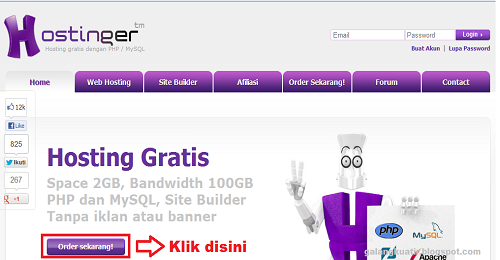
    Hosting Gratis Di Idhostinger.com


    Idhostinger merupakan layanan Hosting Gratis dengan kapasitas ruang penyimpanan yang cukup besar, sangat cocok untuk website pribadi, komunitas, forum ataupun blog. Meskipun Gratis idhostinger mempunyai banyak fitur yang tak kalah menariknya diantaranya :
    • 2000 MB Disk Space
    • 100 GB Data Transfer
    • WebSite Builder
    • 50 Script Auto Installer
    • Support PHP Dan Database MSQL
    • Akses FTP
    • Cron Jobs
    • Sub Domain
    • Parkir Domain
    • Tidak Ada Iklan Yang Tampil
    • Dan Masih Banyak Lagi
    Bila belum puas dengan fitur di atas anda juga bisa upgrade ke Web Hosting Premium atau Web Hosting Bisnis yang akan mendapatkan bonus 1 domain .COM .

    CARA MENDAFTAR :
    1. kunjungi www.idhostinger.com atau klik Disini
    2. Klik Order Sekarang
    Idhostinger
         
          3. Isi Data Anda Sesuai Kolom Yang Disediakan, Centang Saya Setuju sesuai ketentuan penggunaan layanan, Klik Buat Akun


        4. Buka email anda dan konfrimasi pendaftaranya
        5. Akun Siap digunakan :D

    Semoga bermanfaat untuk semuanya :D

    Read More

    Sunday, November 18, 2012

    Privacy Policy

    Privacy Policy for Nesaba Site

    If you require any more information or have any questions about our privacy policy, please feel free to contact us by email at Gkuatir@yahoo.com.
    At http://galangkuatir.blogspot.com we consider the privacy of our visitors to be extremely important. This privacy policy document describes in detail the types of personal information is collected and recorded by http://galangkuatir.blogspot.com and how we use it.
    Log Files
    Like many other Web sites, http://galangkuatir.blogspot.com makes use of log files. These files merely logs visitors to the site - usually a standard procedure for hosting companies and a part of hosting services's analytics. The information inside the log files includes internet protocol (IP) addresses, browser type, Internet Service Provider (ISP), date/time stamp, referring/exit pages, and possibly the number of clicks. This information is used to analyze trends, administer the site, track user's movement around the site, and gather demographic information. IP addresses, and other such information are not linked to any information that is personally identifiable.
    Cookies and Web Beacons
    http://galangkuatir.blogspot.com uses cookies to store information about visitors' preferences, to record user-specific information on which pages the site visitor accesses or visits, and to personalize or customize our web page content based upon visitors' browser type or other information that the visitor sends via their browser.
    DoubleClick DART Cookie


    → Google, as a third party vendor, uses cookies to serve ads on http://galangkuatir.blogspot.com.

    → Google's use of the DART cookie enables it to serve ads to our site's visitors based upon their visit to http://galangkuatir.blogspot.com and other sites on the Internet.

    → Users may opt out of the use of the DART cookie by visiting the Google ad and content network privacy policy at the following URL - http://www.google.com/privacy_ads.html
    Our Advertising Partners

    Some of our advertising partners may use cookies and web beacons on our site. Our advertising partners include .......


    • Google
    • Adsensecamp
    While each of these advertising partners has their own Privacy Policy for their site, an updated and hyperlinked resource is maintained here: Privacy Policies.

    You may consult this listing to find the privacy policy for each of the advertising partners of http://galangkuatir.blogspot.com.

    These third-party ad servers or ad networks use technology in their respective advertisements and links that appear on http://galangkuatir.blogspot.com and which are sent directly to your browser. They automatically receive your IP address when this occurs. Other technologies (such as cookies, JavaScript, or Web Beacons) may also be used by our site's third-party ad networks to measure the effectiveness of their advertising campaigns and/or to personalize the advertising content that you see on the site.
    http://galangkuatir.blogspot.com has no access to or control over these cookies that are used by third-party advertisers.

    Third Party Privacy Policies

    You should consult the respective privacy policies of these third-party ad servers for more detailed information on their practices as well as for instructions about how to opt-out of certain practices. http://galangkuatir.blogspot.com's privacy policy does not apply to, and we cannot control the activities of, such other advertisers or web sites. You may find a comprehensive listing of these privacy policies and their links here: Privacy Policy Links.
    If you wish to disable cookies, you may do so through your individual browser options. More detailed information about cookie management with specific web browsers can be found at the browsers' respective websites. What Are Cookies?

    Children's Information
    We believe it is important to provide added protection for children online. We encourage parents and guardians to spend time online with their children to observe, participate in and/or monitor and guide their online activity.
    http://galangkuatir.blogspot.com does not knowingly collect any personally identifiable information from children under the age of 13. If a parent or guardian believes that http://galangkuatir.blogspot.com has in its database the personally-identifiable information of a child under the age of 13, please contact us immediately (using the contact in the first paragraph) and we will use our best efforts to promptly remove such information from our records.


    Online Privacy Policy Only

    This privacy policy applies only to our online activities and is valid for visitors to our website and regarding information shared and/or collected there.
    This policy does not apply to any information collected offline or via channels other than this website.
    Consent

    By using our website, you hereby consent to our privacy policy and agree to its terms.


    Update
    This Privacy Policy was last updated on: Tuesday, November 27th, 2012.
    Privacy Policy Online Approved Site
    Should we update, amend or make any changes to our privacy policy, those changes will be posted here.


    Read More

    Thursday, November 15, 2012

    Cara Aktifkan dan Setting Robot.txt di Blogger


    Malam semua !!!, kali ini saya akan mempostingkan Sekaligus mengabulkan request dari teman saya hehe... singkat cerita mengenai si Robot.txt ini, The Robot Exclusion Standard, juga dikenal sebagai Robots Exclusion Protocol atau robots.txt protokol, adalah konvensi untuk mencegah web crawler bekerja sama dengan robot web lain untuk mengakses semua atau bagian dari sebuah website yang jika dilihat secara terbuka. Jika seorang pemilik situs ingin memberikan instruksi kepada robot web mereka harus menempatkan sebuah file teks yang disebut robots.txt di root dari hirarki situs web (misalnya www.Galangkuatir.blogspot.com /robots.txt). File teks harus berisi petunjuk dalam format tertentu. Robot yang memilih untuk mengikuti instruksi mencoba untuk mengambil file ini dan membaca petunjuk sebelum mengambil file lainnya dari situs web.

    Langkah-langkah setting Robots.txt untuk Blogger :
    1. Login ke akun Blogger Anda
    2. Klik Setelan > Preferensi Penelusuran


    3. Pada Tab Perayapan dan Pengindeksan muncul menu robots.txt khusus pilih edit
    4. Kemudian masukkan perintah dibawah ini :
    User-agent: Mediapartners-Google
    Disallow:

    User-agent: *
    Disallow: /search?updated-min=
    Disallow: /search?updated-max=

    Sitemap: http://galangkuatir.blogspot.com/feeds/posts/default?orderby=updated
    5.Edit "galangkuatir.blogspot.com" dengan Alamat Blog Sobat :)

    Refrensi : Mas Adhie


    Read More